# Changing the settings in 2ndNumber app in case it is not connecting
Source: https://kb.2ndnumber.tel/support-articles/changing-the-settings-in-2ndnumber-app-in-case-it-is-not-connecting
Some users have reported issues with the app connecting the first time they use it. Here are a couple of tips to get it to connect:
### Android
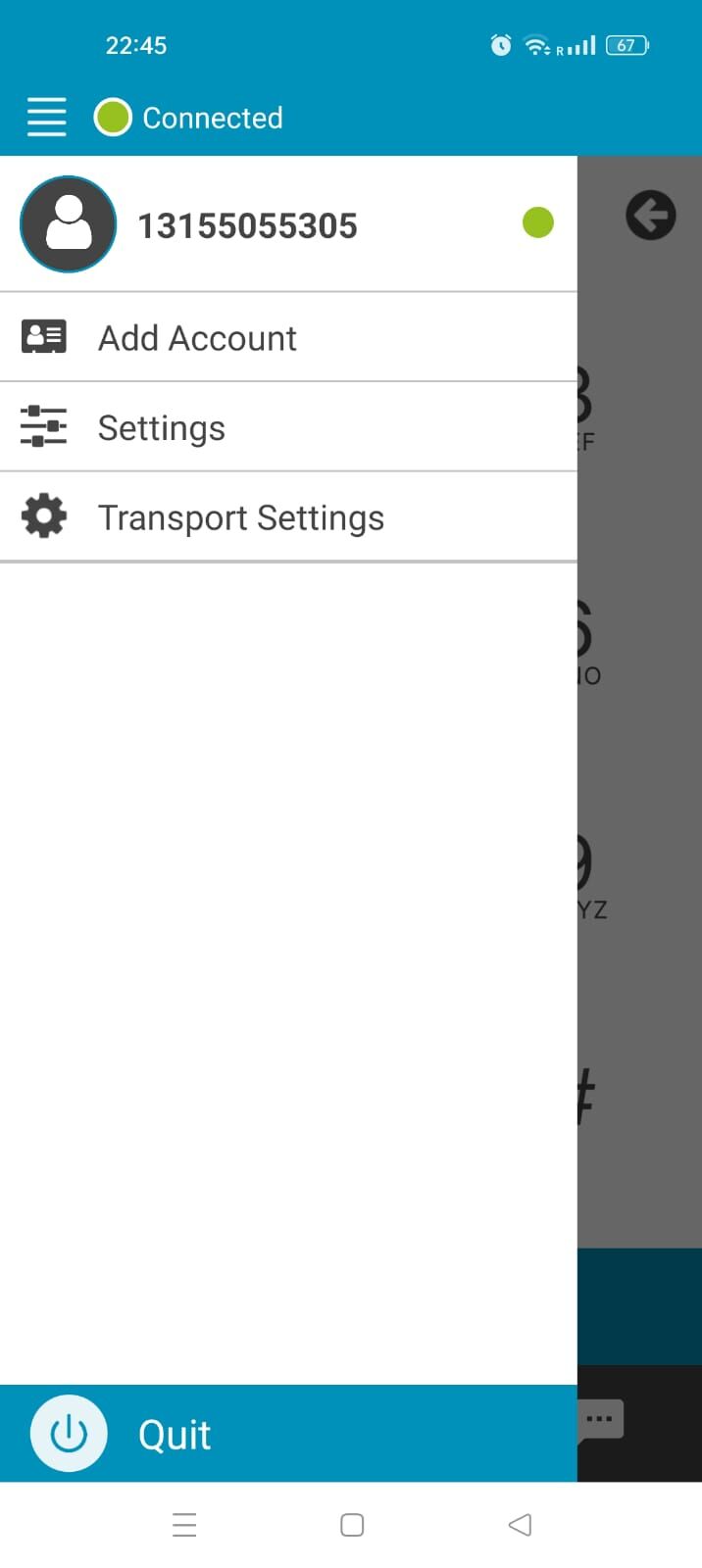
1. Tap the horizontal bars in the top left corner and tap "Transport Settings"
` `
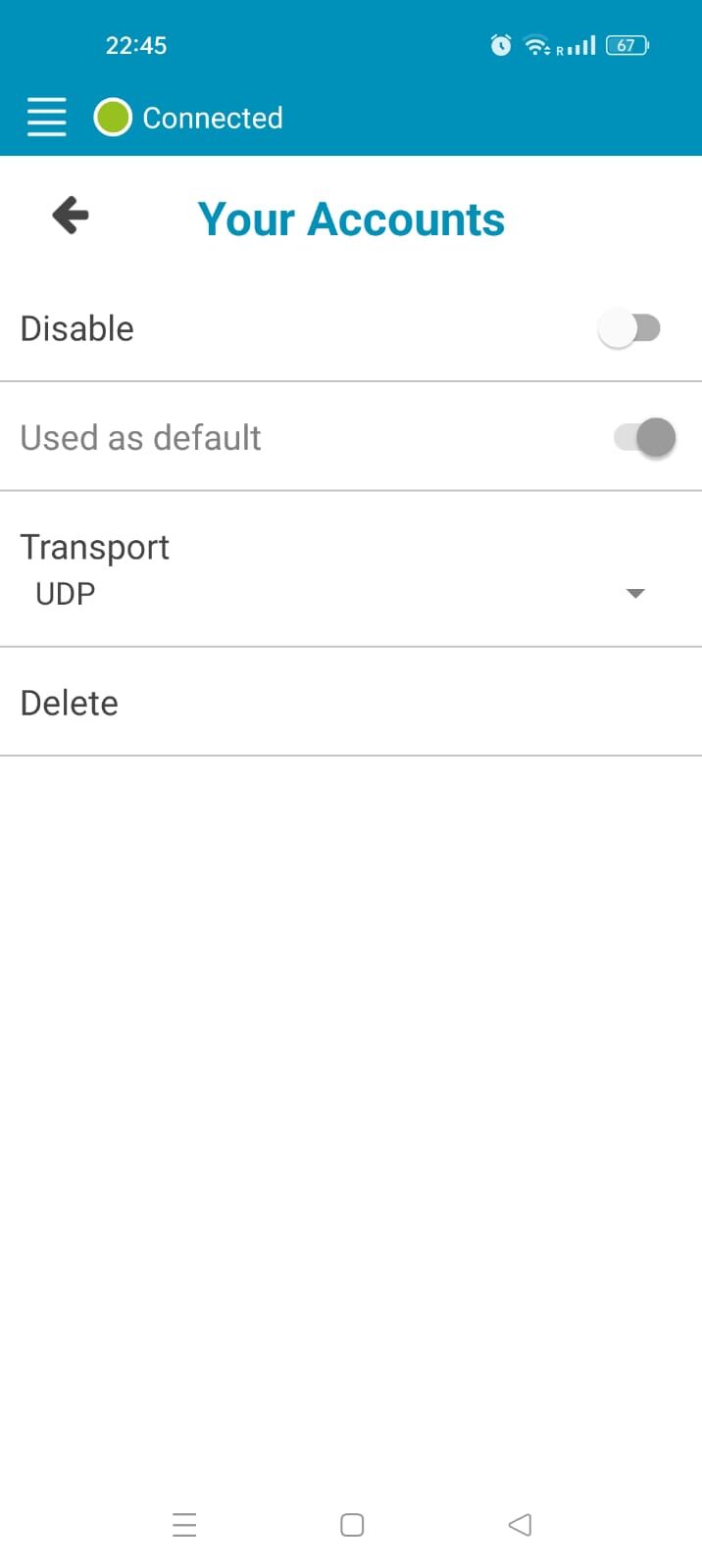
2. Under "Transport" select the option "UDP" (or "TCP" if "UDP" is already selected)
`
 `
3. Some phones really struggle with their battery life, so have agressive battery management apps installed on them. Do be sure to turn OFF battery management for the 2ndNumber app - otherwise when your battery runs low, 2ndNumber will be shut down. Normally you find battery managment under "Settings" -> "Apps" -> 2ndNumber -> "Battery Management"
4. Some people have VPN apps on their phones - if you do, make sure you allow 2ndNumber through the VPN or to bypass it. VPN on mobile can cause issues with our apps.
### iPhone
1. Tap "Settings" then tap "Network"
2. Change "Transport" from "TCP" to "UDP" (or vice versa)
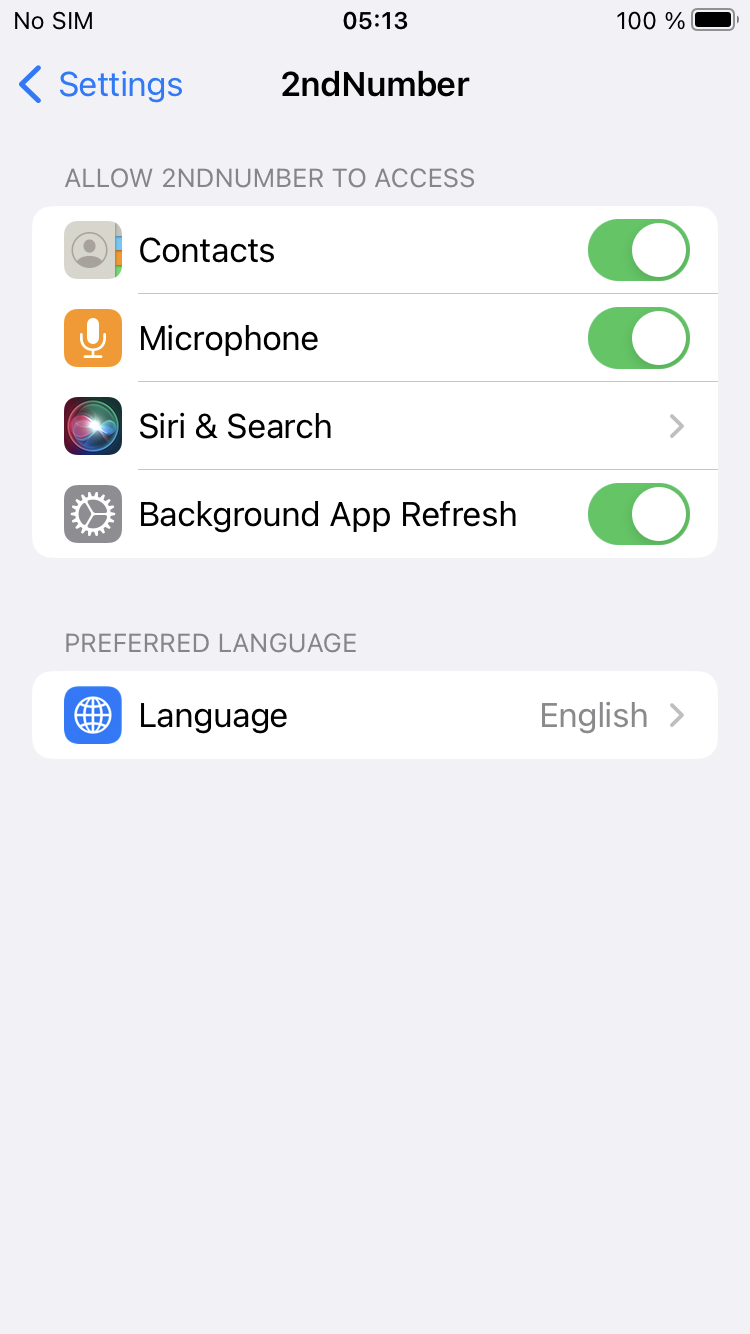
3. Make sure "Background App Refresh" is switched on under iPhone "Settings" > "2ndNumber"
`
`
4. If the iPhone is company-managed or has Screen Time restrictions or MDM profiles, they may block or hide notification permissions for certain apps.
Check for:
**Screen Time > Content & Privacy Restrictions**
**MDM profiles under Settings > General > VPN & Device Management** If it has any of these settings, you will need to speak to your organisation to allow the 2ndNumber app to receive calls in the background.